How to Turn Slides into Video Lessons for Students
Turn lecture slides into video lessons students can rewatch. A practical workflow for teachers to create regenerable narrated MP4s from PowerPoint or Google Slides.
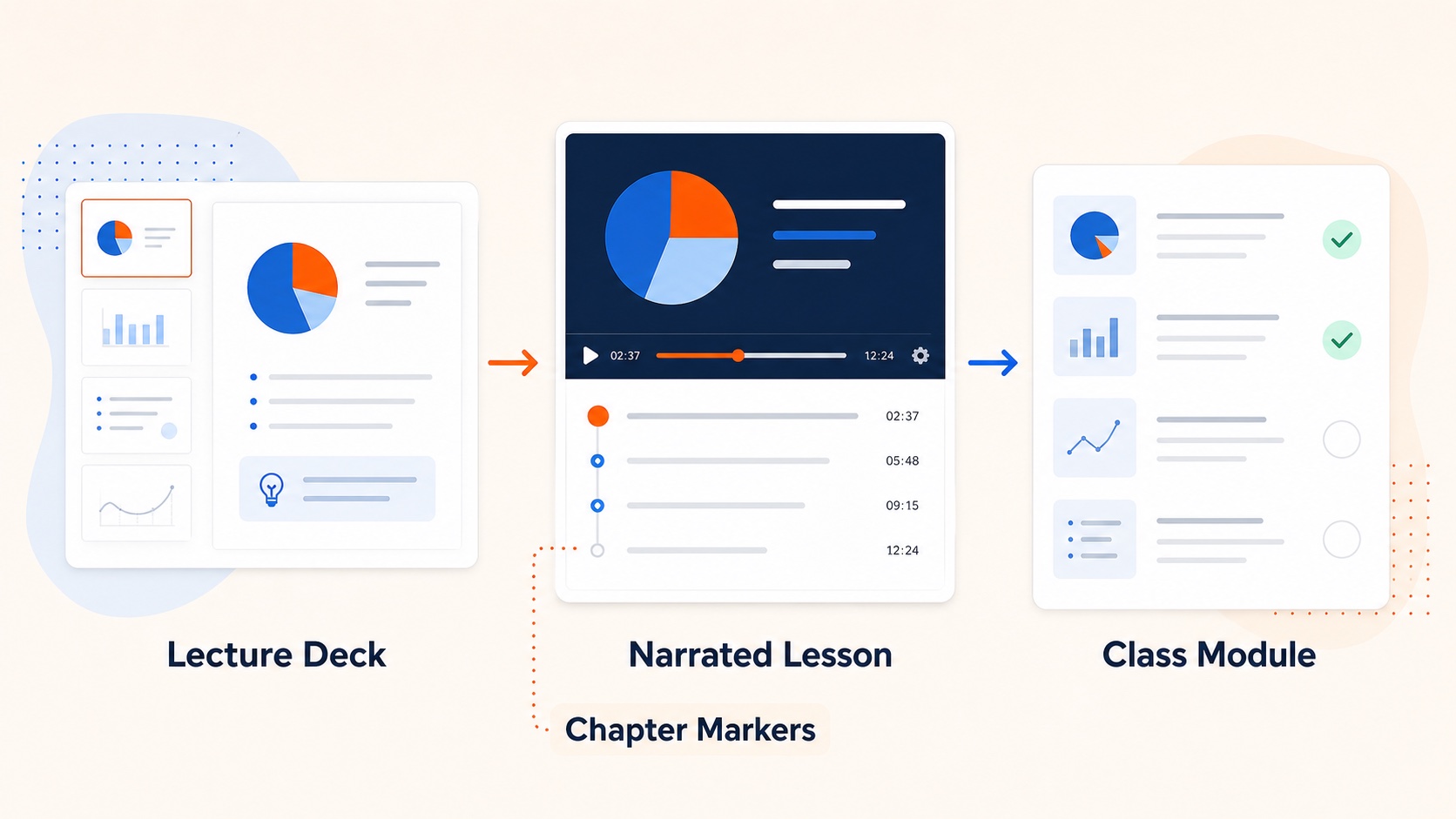
The hard part of teaching the same course twice is rarely the second syllabus. It is re-recording videos after a few slides change. If you need to turn slides into video lessons, treat the deck as the durable source and the MP4 as a rebuildable export.
Why slide-shaped lessons work
- the visual structure already exists
- the unit of revision is one slide
- the output is a portable MP4 for Canvas, Moodle, Notion, or YouTube
Workflow that survives multiple terms
- Author the deck in PowerPoint, Keynote, or Google Slides.
- Export or download
.pptxif needed. - Generate a per-slide narration script.
- Choose a steady lecture voice.
- Export the MP4.
- Next term, update only changed slides and re-render those pages.
Use the same core pipeline as convert PowerPoint to video. Google Slides teachers can bridge through Google Slides to video.
Script habits that help students
- open each slide with what the learner is about to do
- repeat key terms once for audio-only listening
- end slides with a bridge into the next idea
Accessibility
If burned-in captions are required, generate them from the script or caption the uploaded MP4 in your LMS/YouTube workflow. Script-first production makes this much easier than post-hoc transcription.
Related guides
Final takeaway
The best async lesson system is not “record everything again each term.” It is a slide library you can revise page by page and re-export as video lessons.